

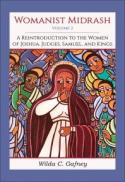
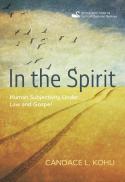
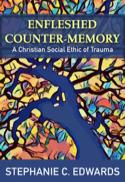

JKM is a closed-stacks library. This means that you request books, and we deliver them to the 4th floor (LSTC) of the shared campus building at 5416 S Cornell Ave in Hyde Park.
JKM and I-Share materials can be picked up from our holds table, and returned to our drop box, by the 4th floor elevators any time the campus building is open.
We receive deliveries from ILDS every Monday and Wednesday during the academic semester, and deliver to campus as materials arrive and are checked in.
Questions? Contact library staff at ihaveaquestion@jkmlibrary.org.
The Rev. Laura Frost (LSTC '24) has received a congregational call, and we congratulate her!
The JKM Library board has just contracted with our new interim director, Stephanie Holding, and we congratulate her on her promotion!
However, we are still understaffed, and operating on a best-effort basis. We ask your patience as we look for ways to enhance our circulation department.
Please direct requests for library services to ihaveaquestion@jkmlibrary.org. Thank you!

The JKM Library is the library for McCormick Theological Seminary and the Lutheran School of Theology at Chicago. JKM is the only library providing access to I-Share and full access to electronic resources for McCormick and LSTC students, faculty and staff.
We currently house around 34,000 books in controlled storage in the Hyde Park neighborhood of Chicago, and provide access to over 600,000 electronic books and a wide range of database resources.
As patrons of JKM, members of the McCormick and LSTC communities also have access to our partner libraries in the ACTS and I-Share consortia. Through the seminaries, our patrons have auxiliary access to the physical collections of the University of Chicago Libraries.
The JKM Library also provides services to the other ACTS seminaries in Chicago, and to many other libraries throughout the state of Illinois using the ILDS and RAILS systems. And through OCLC WorldShare, we offer scanning services for our physical collections to libraries all over the world.